For this task, we learned how to create a 360 video in Maya. A simple animation was created for this video, my animation consisted of a ball rolling across the screen. After following the steps given, I realised I quite enjoyed creating this video and will consider using Maya towards my final production piece.
360 images became quite popular across social media platform Facebook a few years back. At the time, it was an exciting and refreshing experience for the younger generation because it was something we had never seen before. This growth in technology took me by surprise and left me with numerous questions but after creating my own 360 image, I have come to realise that it is fairly easy.
When using Maya, it was more of a struggle trying to figure out the settings, making sure the camera was set to the correct VR settings. Like the Unity work, I was again guidance to follow on how to create this 360 video so it was pretty straight forward.
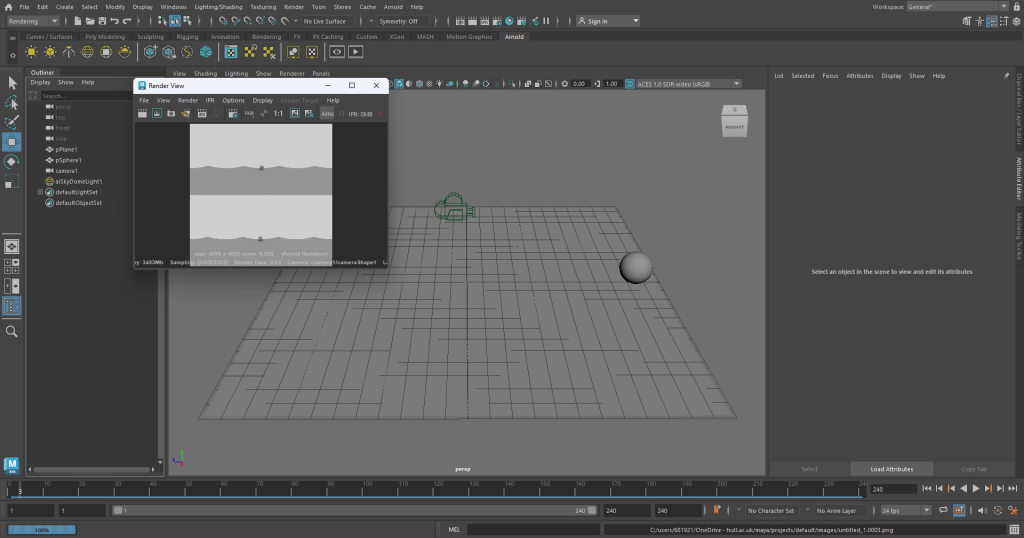
Screenshot of the animation and rendering process for the 360 video.
With Maya, when the animation is rendering, it saves as frames, so I put all 240 frames into Adobe Premiere Pro which created the two videos below.
Final video result, this video doesn’t show the 360 aspect of the video.
The file would not upload as a 360 video so I recorded a demonstration of the 360 aspect of the video using my phone and the video playing on the computer, in the video I am moving the video around while the animation plays.
Recording of final 360 video, showing the movement of the video while the animation plays.
Maya MASH
Next, I experimented with the MASH tab in Maya, using this allows me to alter and edit the shape I have created. For this render, I just used a simple cube, multiplied it to get a grid like effect then used the random tool in MASH to create the explosive like effect. I did much prefer completing this task to the 360 video, I feel more satisfied with these results.
‘Augmented reality is the integration of digital information with the user’s environment in real time. Unlike virtual reality (VR), which creates a totally artificial environment, AR users experience a real-world environment with generated perceptual information overlaid on top of it.’ (Gillis)
AR and VR are fast growing technology today, this technology can be used for gaming, decorating or educating. AR is more well-known through social media and face filters that we most-likely use everyday or when we are gaming, Pokemon Go is a very popular game that uses augmented reality.
Video showing the AR working for the demonstration given.
For this task, I followed a set of instructions to create an AR pop-up using Unity Hub and the third-party software Zapworks. In these instructions I was given an assets folder to import into Unity, this was for a Sea Shack demo. Because I had been given the assets, it was a case of toggling with the settings in Unity so I could get the correct outcome for the 3D sea shack.
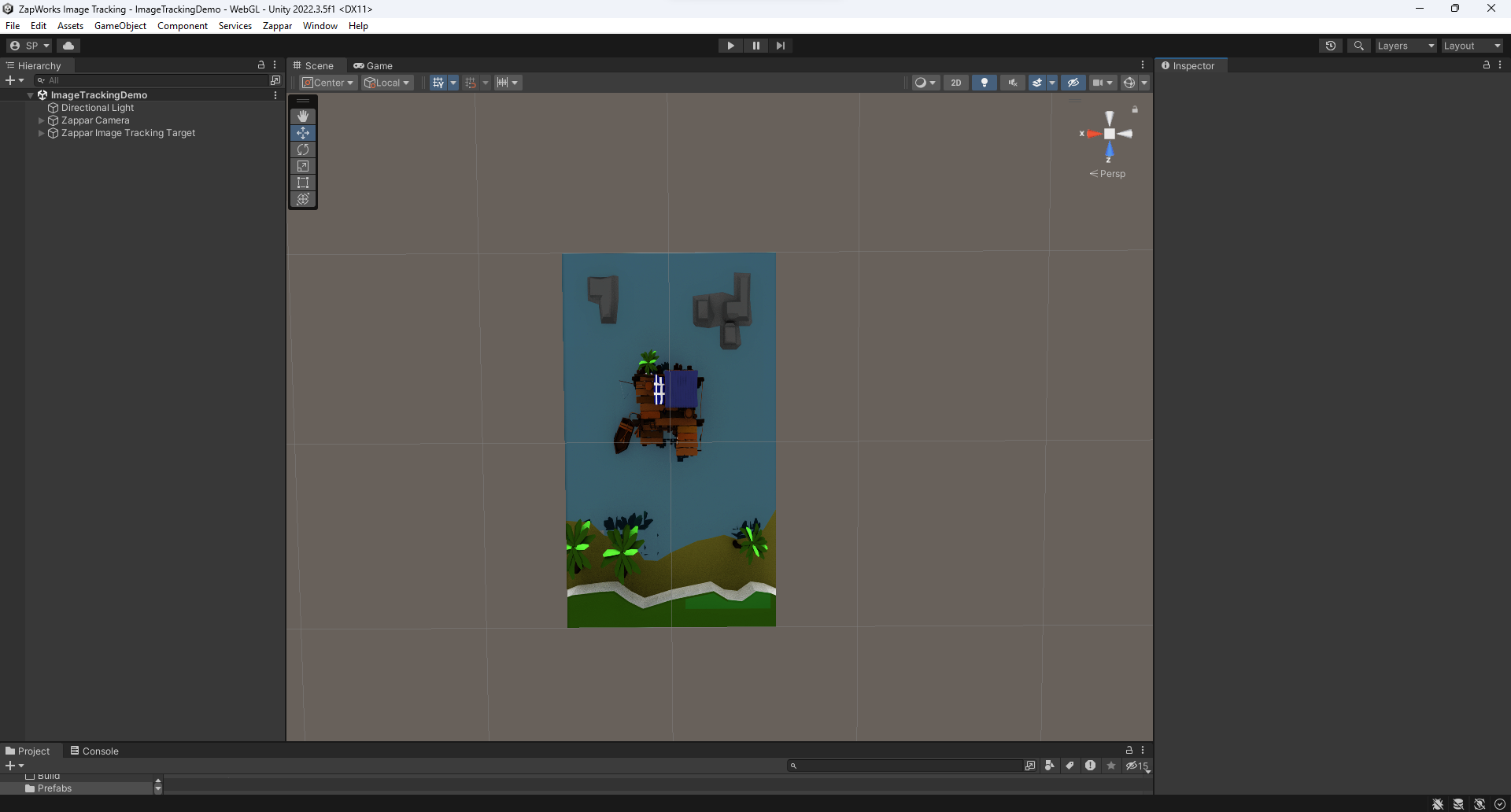
Screenshot of Unity Hub after all the assets were imported.
I started by importing the 2D sea shack image then was able to import the 3D assets. This is a screenshot of what the Unity app looked like after I followed the guide. As you can see there is both the flat image and the 3D pop-out sat on top.
Now that I had completed all the tasks, it was time to transfer it to Zapworks. When you upload your file to Zapworks, it creates a trigger QR for you to scan then you should be presented with the AR sea shack.
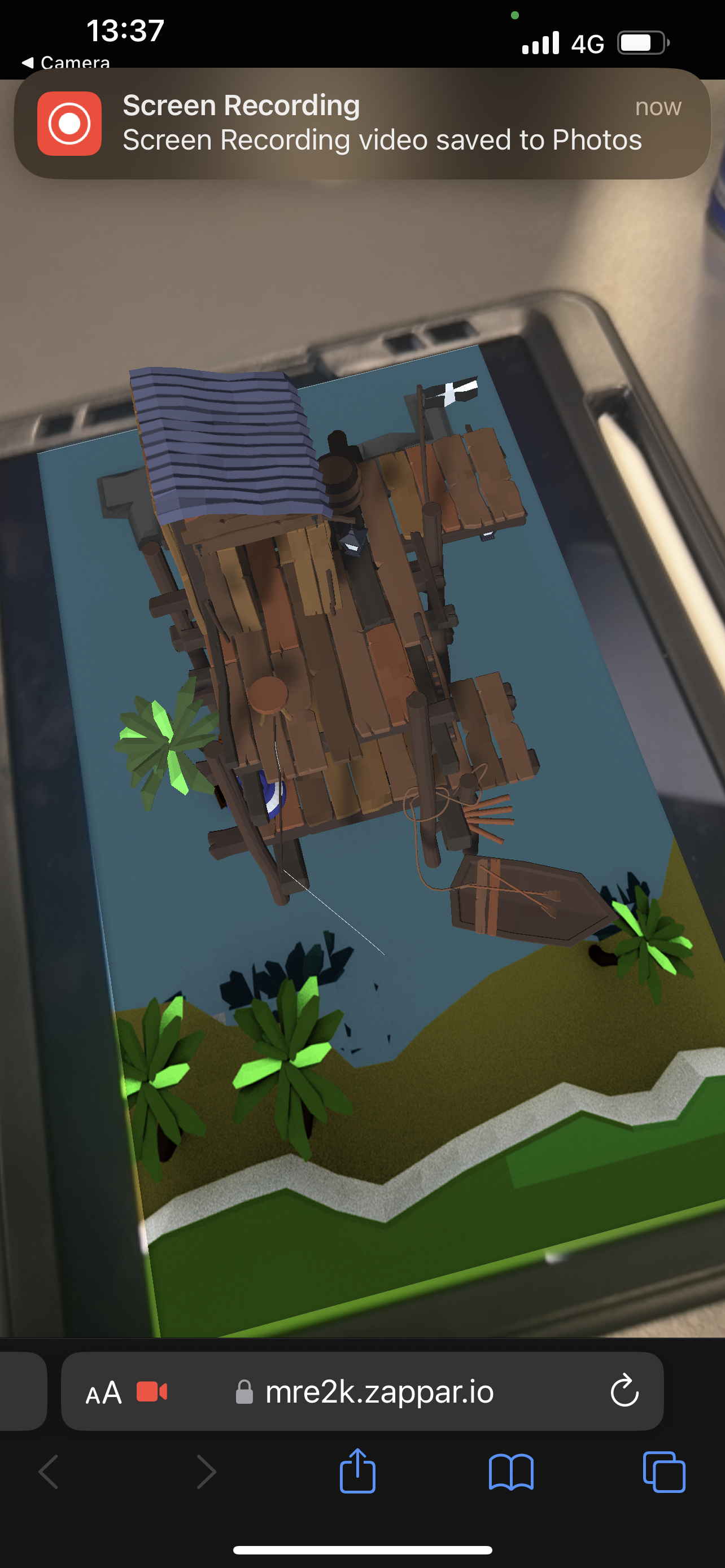
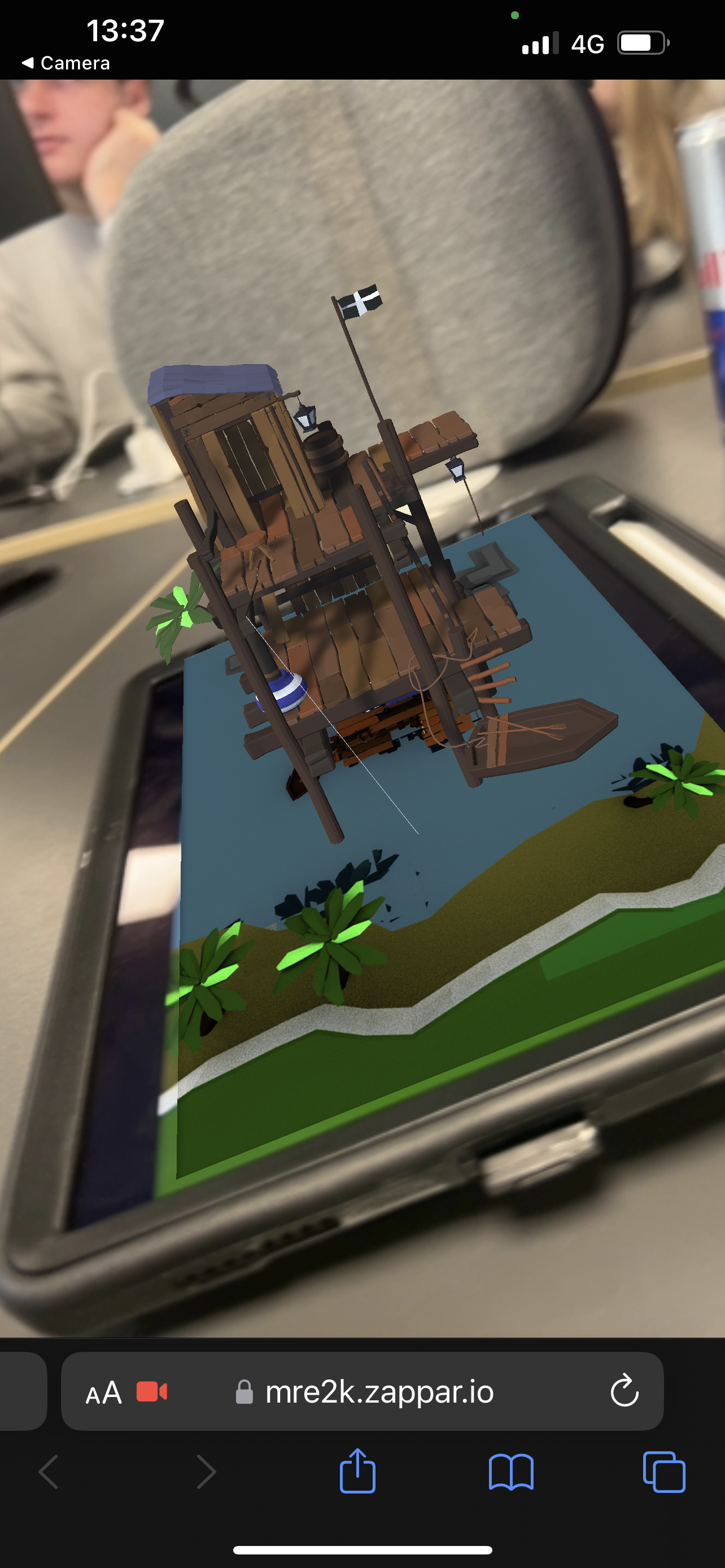
Screenshots showing the trigger working from Zapworks, showing the sea shack AR from different camera angles.
These are some screenshots of the sea shack AR working; it projects from the 2D image and stays in place when you angle the camera differently.
Video demonstration of the sea shack AR working.
This is a video demonstration of the sea shack AR working, again showing the different angles while the shack stays in place the entire time.
I decided to dabble a little in Adobe Aero too, this a software used also for AR. When I used Adobe Aero from my phone, it allowed me to add 3D assets to a live surface from my camera. The video below demonstrates two of those assets sat on a rug on the floor, I have shown the camera moving too so you can see what the objects look like when we move, like the sea shack, the objects stay in the place that I snapped them too.
Video demonstration showing the pre-made assets that Adobe Aero offers.
I found this design style to be easy and pretty fun, I would like to explore Adobe Aero further for my final production piece.
References
Gillis, Alexander. “What Is Augmented Reality (AR)? – Definition from WhatIs.com.” WhatIs.com, Nov. 2022, www.techtarget.com/whatis/definition/augmented-reality-AR. Accessed 26 Nov. 2023.
‘Virtual Reality (VR) is a computer-generated environment with scenes and objects that appear to be real, making the user feel they are immersed in their surroundings. This environment is perceived through a device known as a virtual reality headset or helmet. VR allows us to immerse ourselves in video games as if we were one of the characters, learn how to perform heart surgery or improve the quality of sports training to maximise performance.’ (Iberdrola)
I was very sceptical to use the VR headset because their can be some side effects when using VR. It can cause eye straining if used for too long. VR can also play tricks on your senses and can cause dizziness and nausea because of what you are seeing in this virtual reality (“Virtual Reality, Pros & Cons. A Closer Look at the Future”).
Although Virtual Reality can have its cons, there are a lot of benefits for this kind of technology. VR can be very educational and can allow people to train in situations they may not feel ready to face yet, for example, doctors can use VR to practice surgeries. I once used VR to learn health and safety of wearing a seatbelt in a car, it’s a very good concept to show people very real situations without them actually experiencing it.
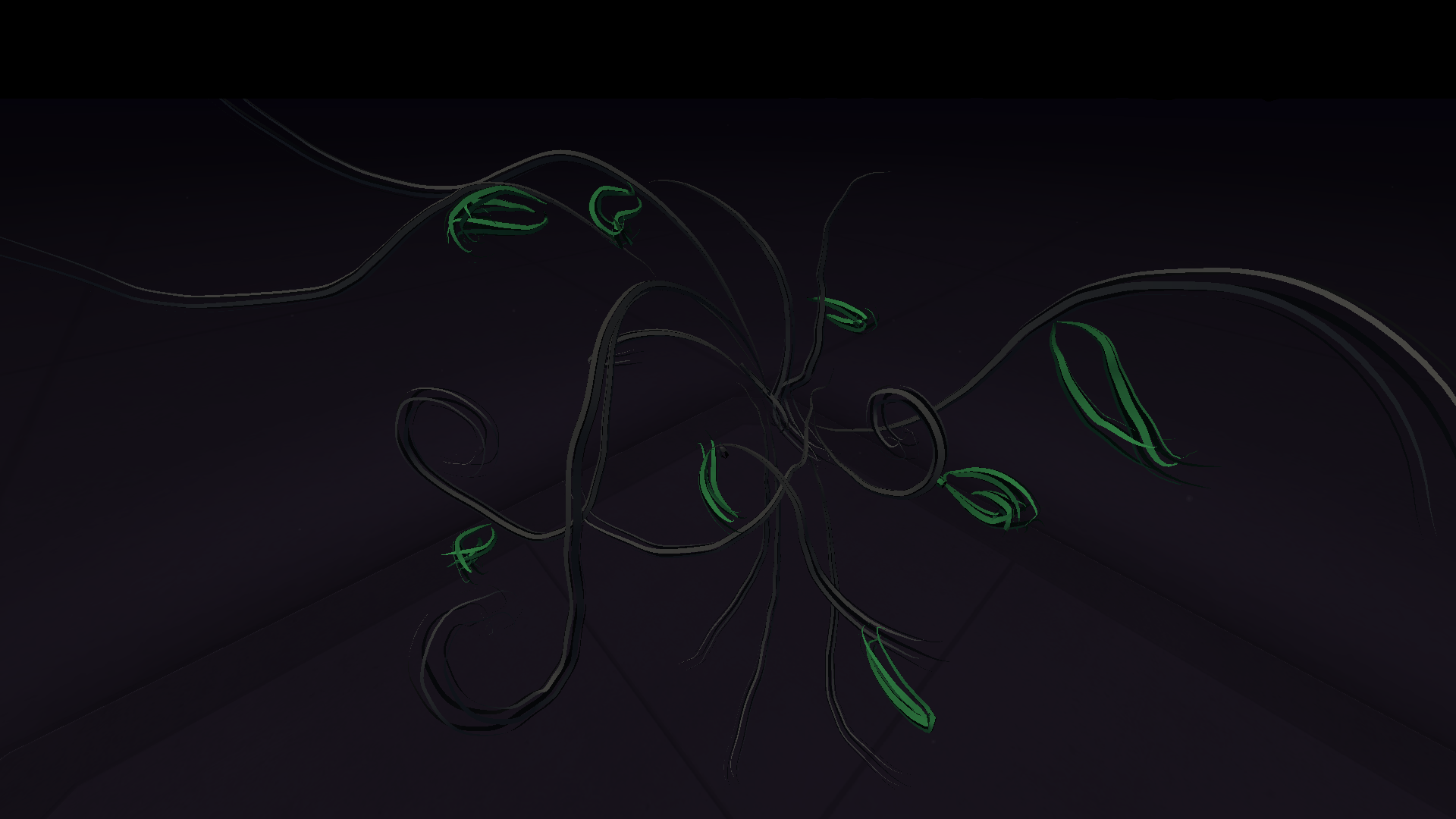
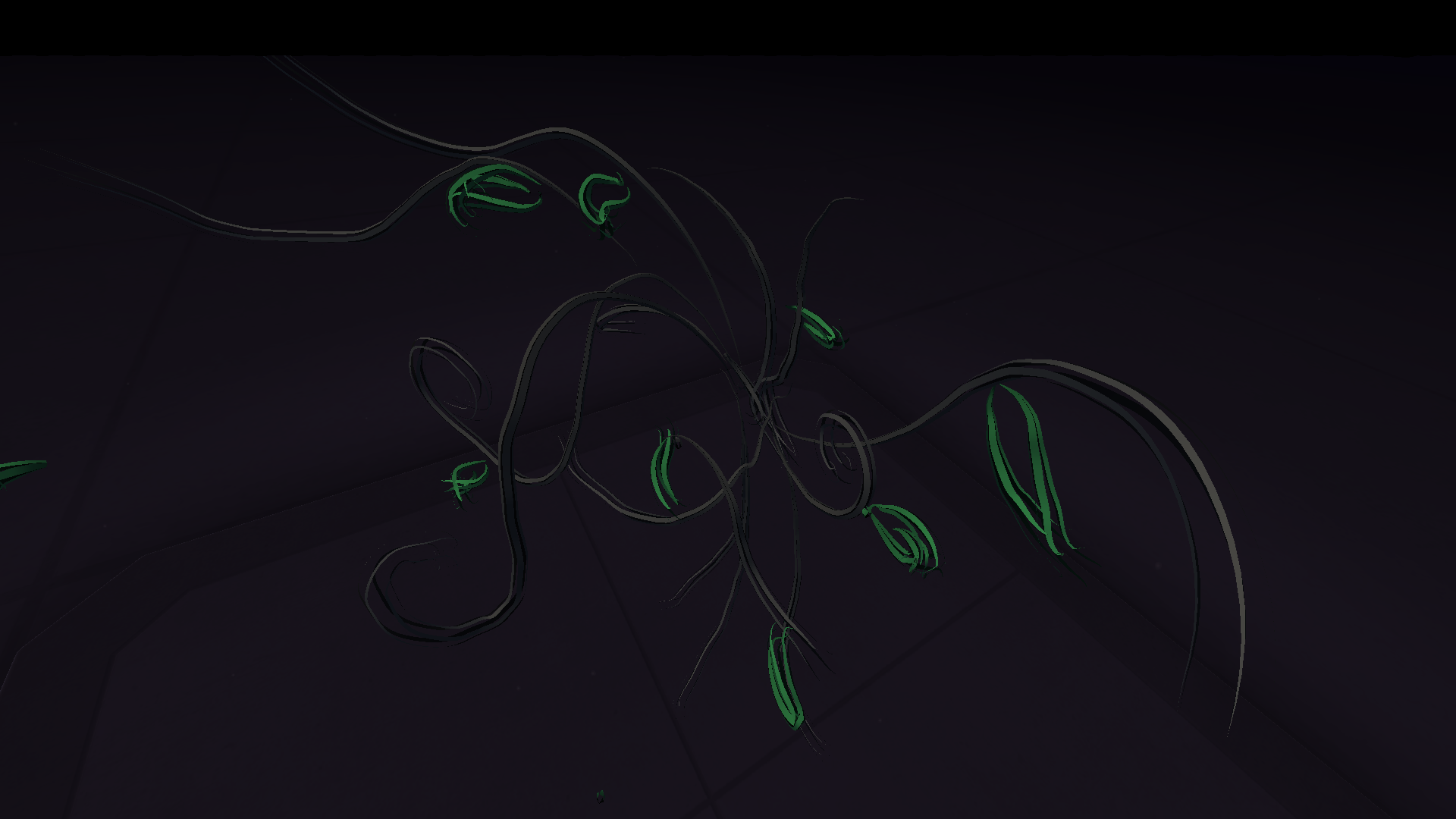
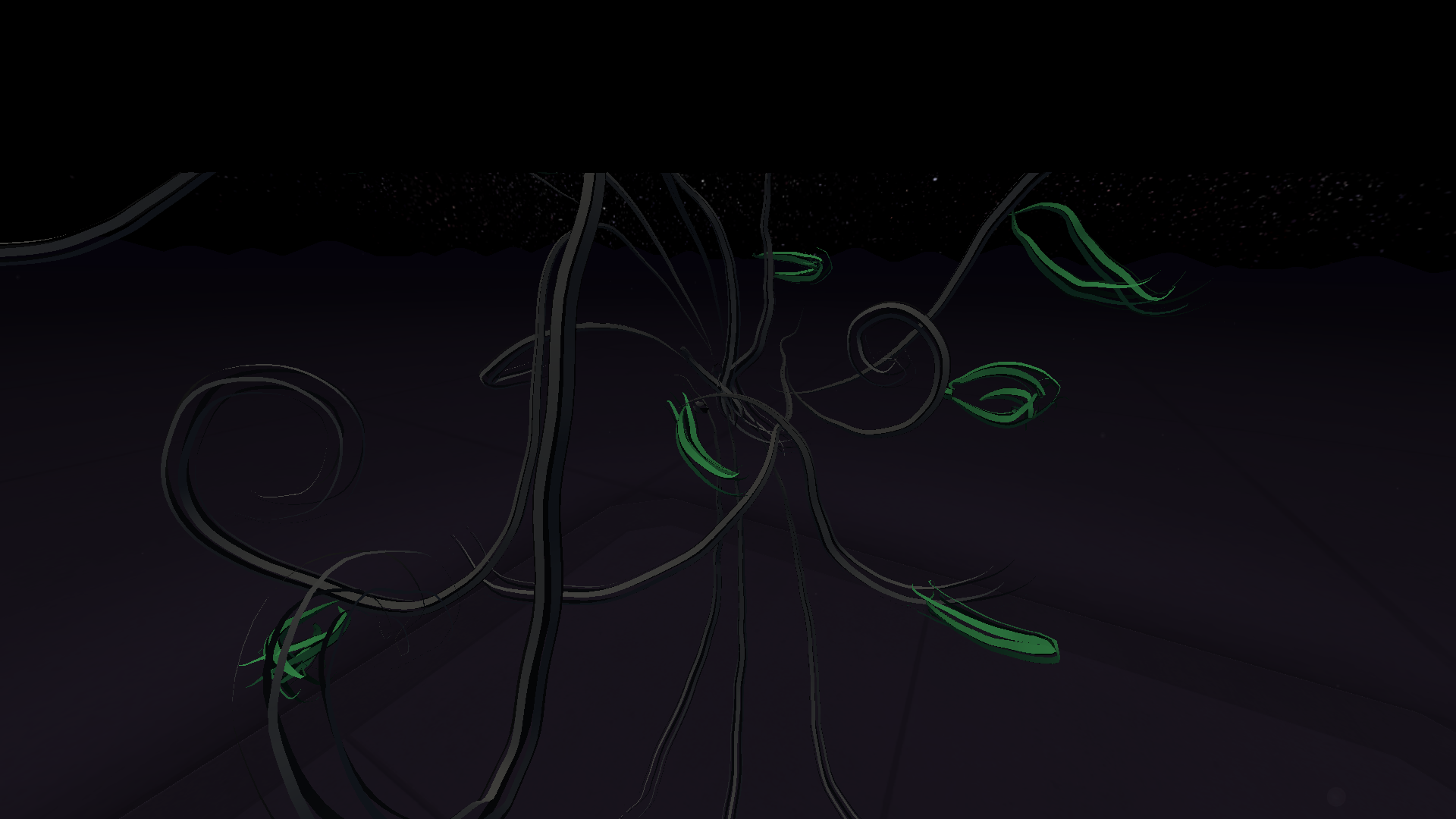
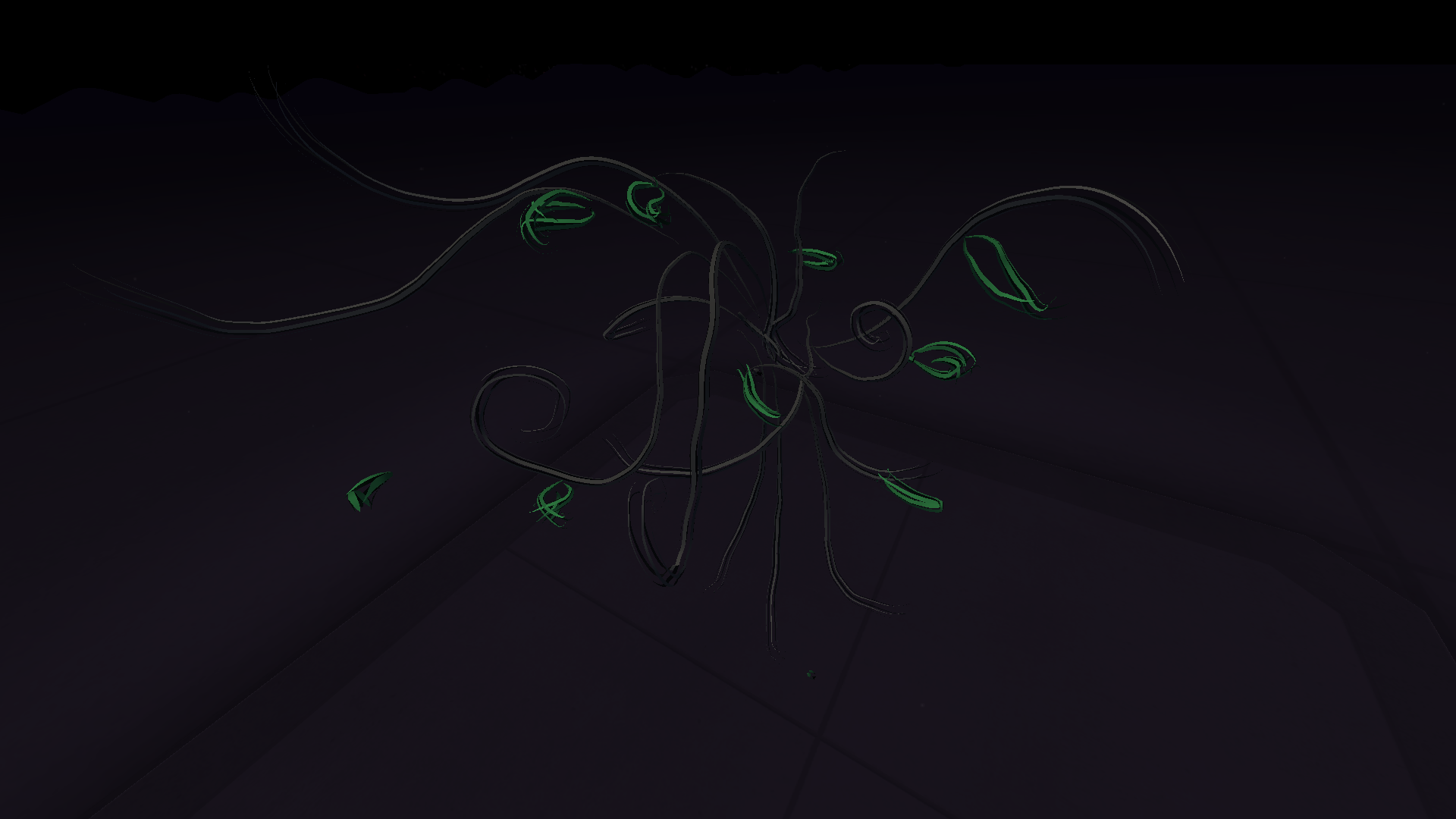
Collection of photos taken from Open Brush of my 3D drawing.
I used the VR headset to create a rough drawing of a tree, this was a very different experience for me. It was incredibly cool to be able to do this and I imagine with the correct amount of time, something bigger and better could have been created but I personally, did not have a good experience with using this so it is not something I will be experimenting further with in the future.
References
Iberdrola. “Virtual Reality, the Technology of the Future.” Iberdrola, Iberdrola, 2023, www.iberdrola.com/innovation/virtual-reality. Accessed 27 Nov. 2023.
“Virtual Reality, Pros & Cons. A Closer Look at the Future.” Optimum, www.optimum.com/articles/internet/the-realities-of-virtual-reality#:~:text=VR%20headsets%20play%20tricks%20on. Accessed 27 Nov. 2023.
For my proposal, I would like to bring festival posters to life using augmented reality. Many festival posters are full of so much life and bright colours, most of them have people or objects within the design which would make it a more exciting experience for the viewer if animated/3D versions of the people/objects popped out at them. This idea is also a good marketing technique as this opportunity will entice more customers or will increase mentioning of said festival. Big companies and brands are more reliable when their audience are able to engage more with their products.
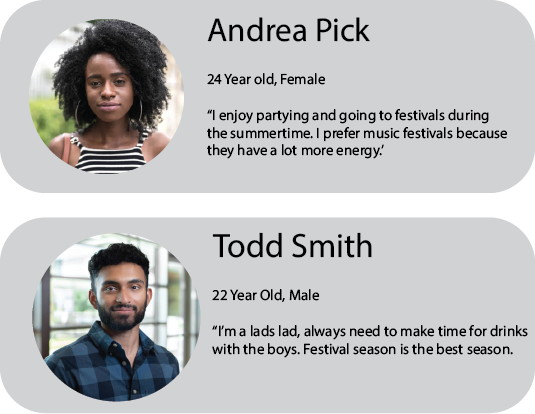
(FG Trade), (“IStock – 20 Year Old Male”) Personas created to show the aimed audience for my final production piece.
I have created some personas of typical festival goers. this is the audience I aim to attract with my AR festival poster. The aimed audience will be young adults, aging from 18-30, the type of people that enjoy partying, raves and festivals. The younger generation also stay up to date with the technology growth so it is likely that they will enjoy engaging with a poster that has built-in AR.
After experimenting with the three different immersive design topics, I decided to delve further into augmented reality. The AR spoke out to me more than the others because I enjoy the concept of layering digital and 3D media to something flat/2D instead of having an entire environment be virtual. For me, virtual reality is very overwhelming and quite scary, so it wasn’t something I wanted to carry on learning. Being able to find that in between of normal reality and virtual reality is the best idea for me, hence the AR.
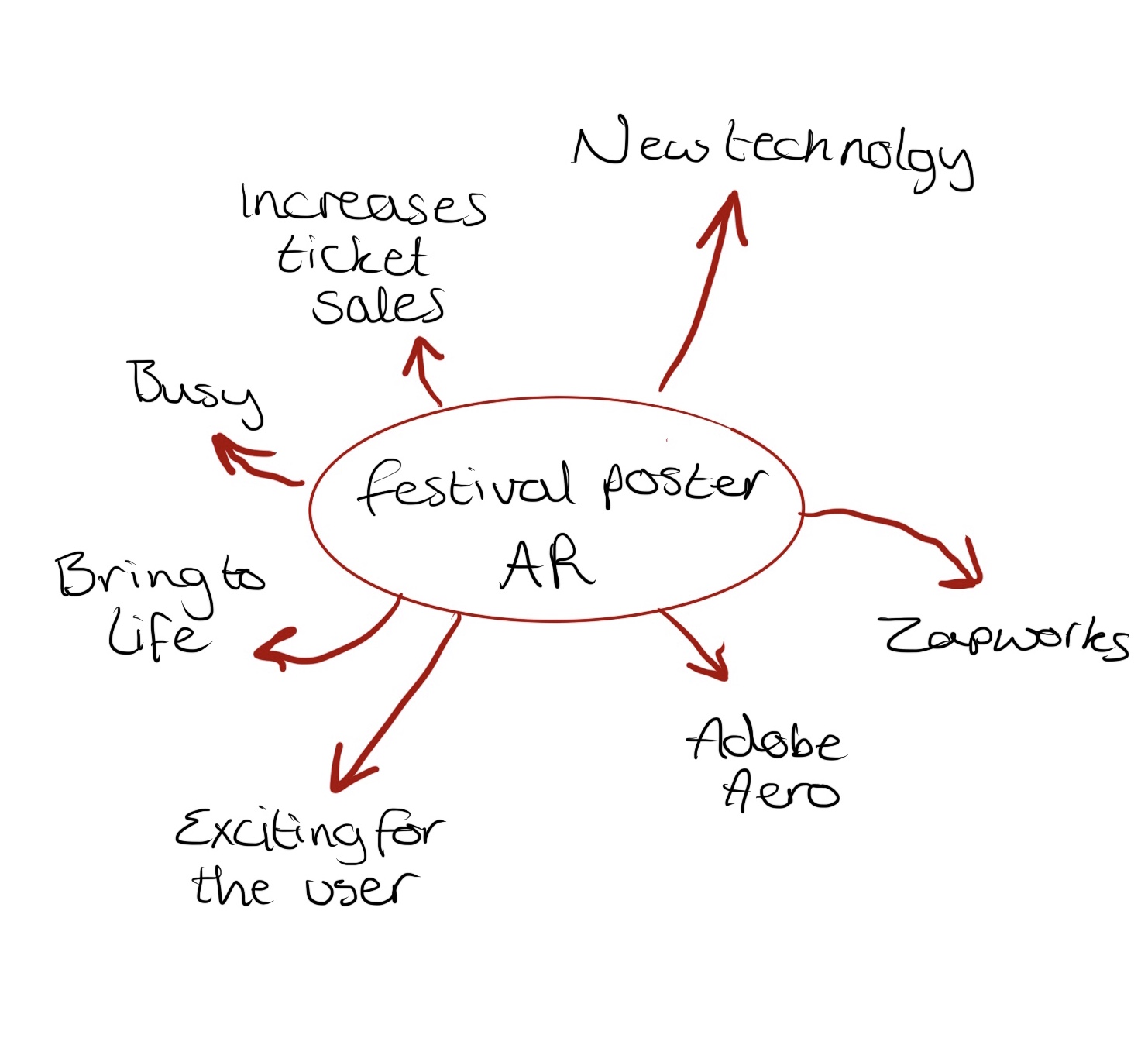
Rough mind map sketch, showing the ideas that came to mind when thinking of this concept.
Augmented reality can range from having 3D animations pop out when a product is triggered, perhaps by a phone, to facial recognition technology. It is likely that everyone has experienced the use of AR at least once in their life, it is growing drastically within today’s society. The social media platforms we use all seem to offer facial filters to alter the appearance of the live camera.
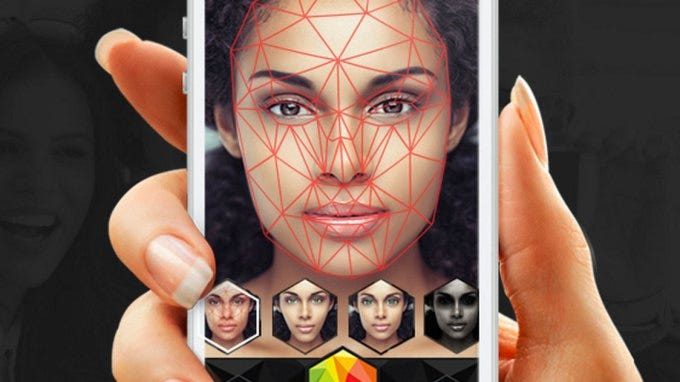
To further explain this concept, face filters can be seen on most social media platforms i.e., Snapchat, TikTok and Instagram. These filters work using facial recognition and tracking technology. Behind the scenes, these facial filters are created using an Active Face Model, ‘The Active Face Model is a facial model that has been trained by the manual marking of the borders of facial features on hundreds to thousands of images.’ (Le).
(Le, “Snapchat’s Filters: How Computer Vision Recognizes Your Face”)
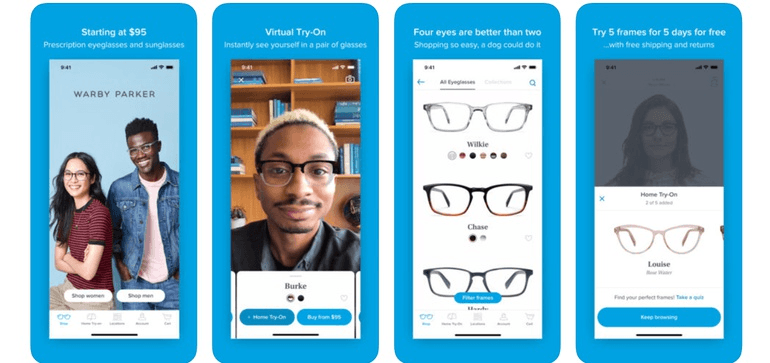
Another good example of AR that uses an Active Face Model are the virtual try-ons that some companies offer. With the growth of technology today, big brands and companies are using AR to help costumers engage more with their products and online services. Over the past couple of years, make-up and clothing brands have been allowing customers to virtually try-on their products. Allowing customers to do this, helps them find their perfect fit and saves time and conflict when it comes to an item not being the right size.
Example of a virtual try-on for Warby Parker glasses. (“Virtual Try-On”)
I captured my own video through snapchat to show how accurate these face filters are. They detect where my features are and work around them, it’s also amazing how when I turn my head, the filter turns with me, following my face. Although this isn’t the category of AR that I need for my production piece idea, it was very intriguing to learn more about it and can be useful for other future projects.
Screen recording of myself going through Snapchat filters to show how the work and alter my face.
An example of AR that is similar to the work I want to produce is the Aria app (“The ARIA Network – Welcome to the World of ARIA”). This app allows users to point their camera at posters and vinyl records and they will be presented with funky visuals. I downloaded their app and tested this out on a popular vinyl, when doing this I was presented with an animation and audio, it was a very pleasant and satisfying experience. This idea is also really good for increased record sales.
Video of me using the Aria app to view the animation for this vinyl record.
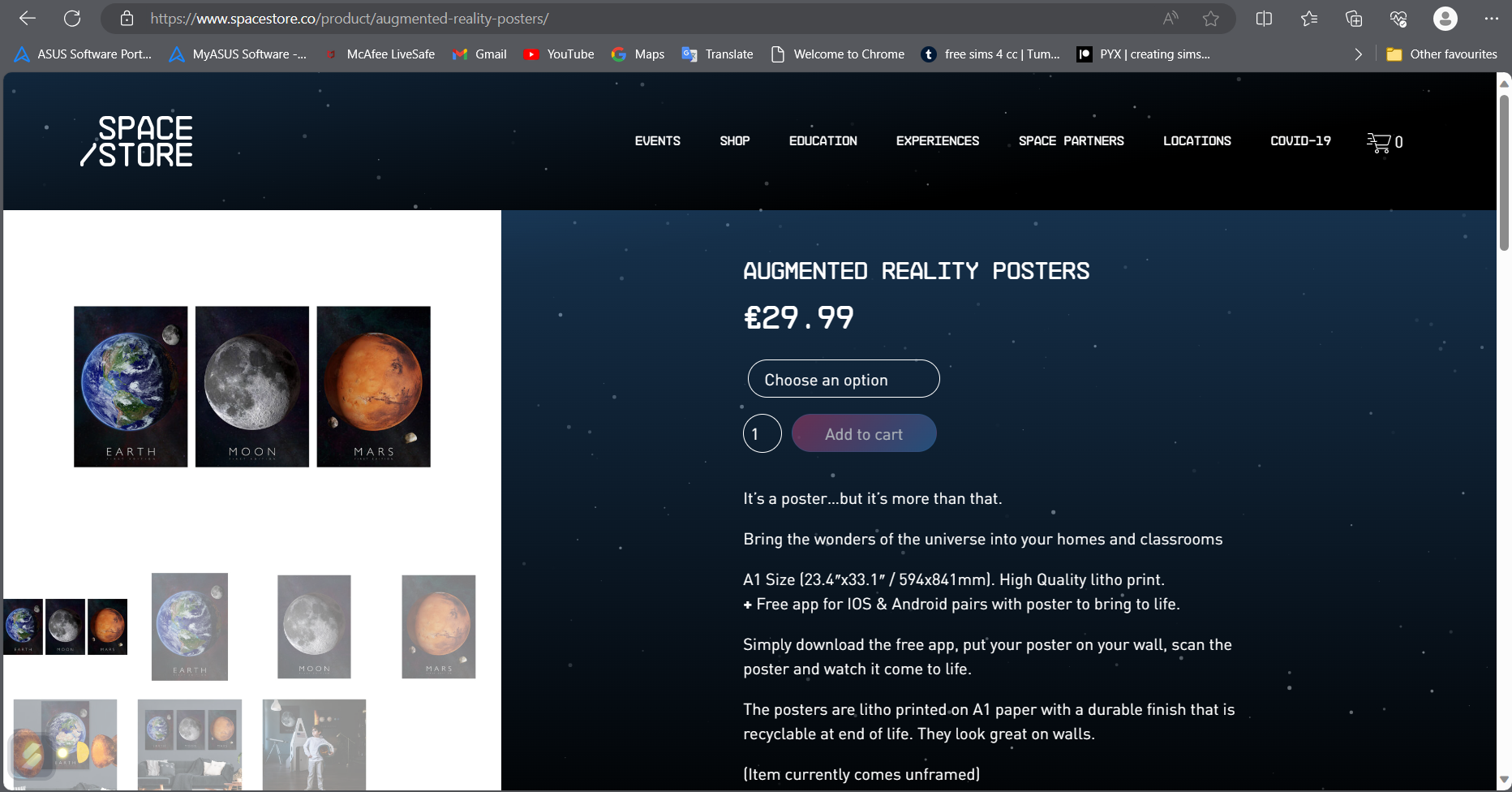
I came to find another company that have already created AR posters. A company called ‘Space Store’ that sell AR posters. This website is accompanied by a free app that is used to view AR aspect of their posters when directly pointed at them. They offer a range of space themed posters that show 3D planet animations when the user is in the app.
Screenshot of the Space Store website, showing the AR posters they sell. (“Augmented Reality Posters”)
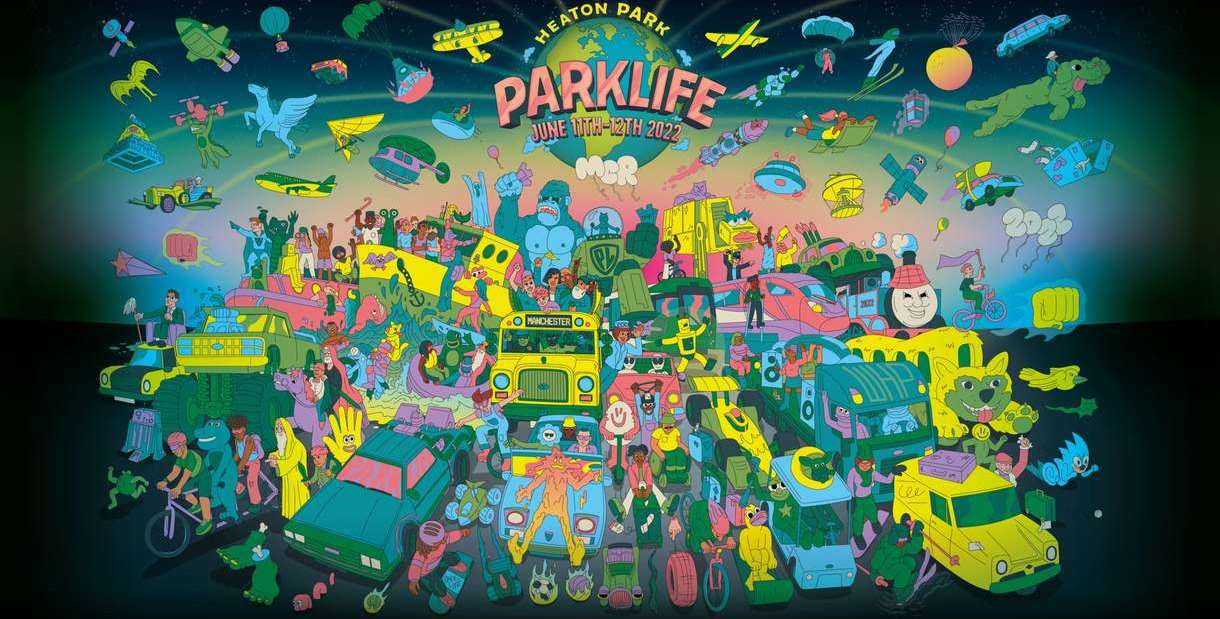
After researching the topic, I want to explore more I found a good example of a festival poster that would look better with AR, which are the Parklife posters. Parklife posters are so busy and chaotic, it’s almost as if the objects are already jumping out of the posters. When I look at their posters, I imagine all the people dancing, the vehicles moving and the sky full of pondering lights. Having AR attached to this poster would make me more excited to attend their festival, it would also make me happier to spend money on this company because they’ve spent more time and planning on just the poster so surely, they’d do the same, if not more, on the actual festival.
Festival poster that would be an amazing example to involve AR. (“Parklife Festival”)
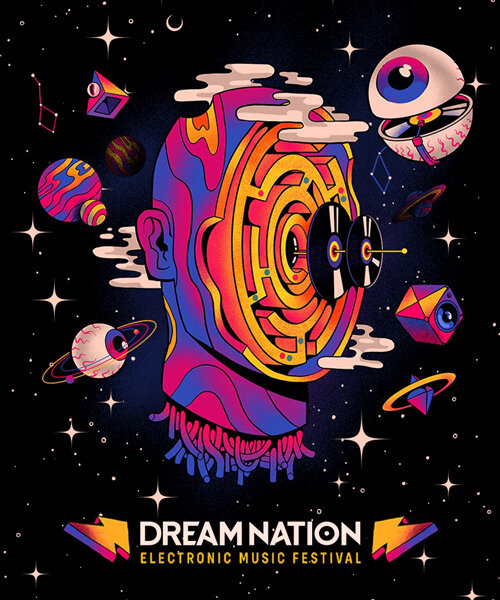
Another good example of a festival poster that caught my eye is the Dreamnation poster. As soon as I saw this poster, I imagined the objects orbiting the head and the vinyl’s moving up and down the pole. There is so much life to this poster that I desperately feel the need to attend this festival if I could make this poster move through my phone camera. Knowing a poster has AR attached to it also adds mystery for a viewer because what will it do? This question increases curiosity and engagement.
Another example of a poster that would look good with attached AR. (“Top Ten French Festival Posters”)
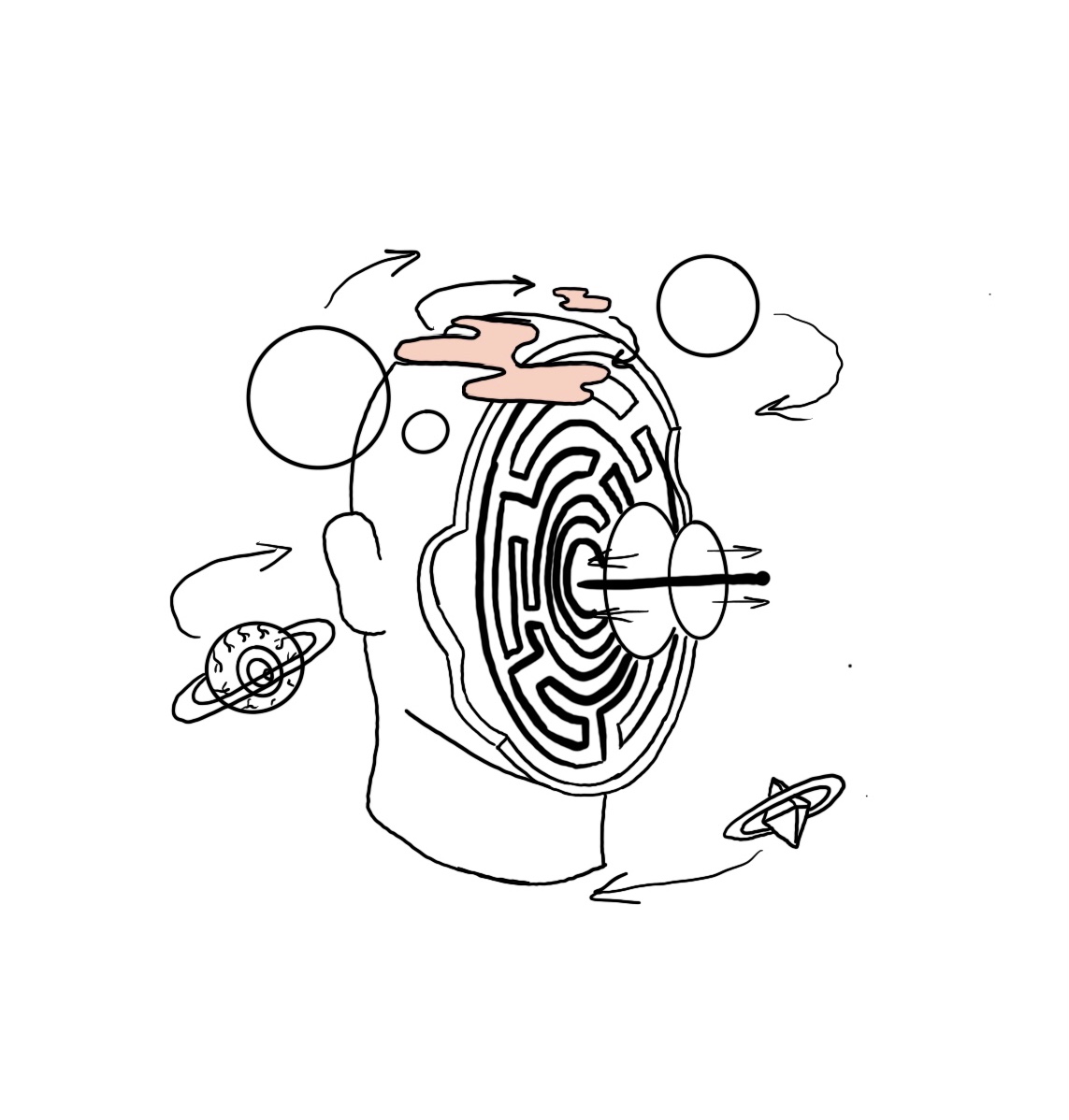
I’ve taken the Dreamnation poster and sketched my own visual for an AR version of their poster. This sketch shows what I imagined when I first saw this image. Having this visual is helpful towards the final production piece because it increases the creative influences in my mind.
Rough sketch of how I imagined the AR for this poster, the arrows indicate the movement and orbiting of the objects around the head.
As well as researching similar topics and immersive design techniques, I needed to think deeper into the design aspect of the production piece. The colours I will use, any typography and any other software that may be introduced. The two festival examples above, both have unique colour palettes, but their colours used all combine to create a great design. Most festival posters have a range of bright colour tones, this is something that is enticing for their audience. Posters for these types of events need to speak out to people, attract passers by when hung up on a well-known street, because it tells the viewer about how fun this event will be just by the chosen colours used.
I am extremely influenced by the design of the Dreamnation poster and would like to use a similar retro colour palette for my design. I aim for the AR animation to use the same colour palette as the 2D design so I need to play around with colours that will look good in both 2D and 3D, the colours may differ in 3D because of the lighting, shading and movement of the animation.
Rejected Idea
To begin with, I had an idea to create an app that projects tattoos onto a person’s skin, like the social media filters, allowing the user to find their desired placement before committing to the permanent ink. The plan was to have the target audience but tattoo artists and their clients, I thought it was a great way to increase the correct communication between the artist and their clients because it’s a better way to figure out tattoo placements. I decided to reject this idea because it became too complex to create, I would have had to design a whole app then create the AR filters for within the app.
Project Planning
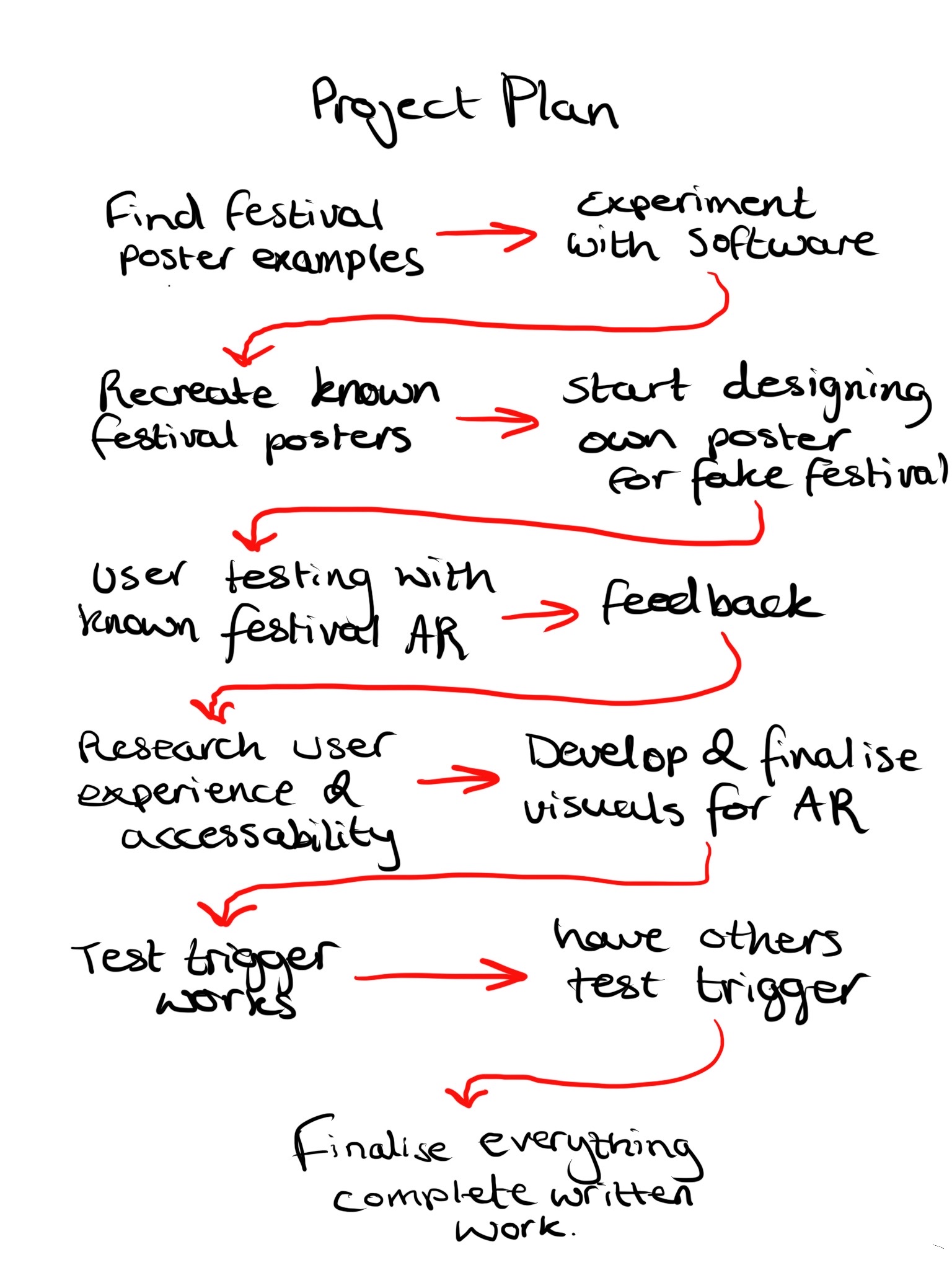
From here the plan is to experiment further with Zapworks, Unity and Maya, creating 3D animations for the AR aspect of the poster. I plan to use the known festival examples and create some AR animations for them but for the final production piece, I aim to design my own poster for a fake festival. I will then develop a 3D animation for this poster which will be triggered when a camera is pointing directly at the poster. Like the Zapworks blogpost, I will project my poster design through a separate device and record the AR using my own device.
Rough project plan to help me figure out what tasks to complete.
This is a rough plan of how I will complete the final production piece by the following due date. Creating a plan like this helps me carefully figure out what tasks need to be done and gives me a more accurate time scale to do them.
I will begin my project plan by creating an AR for the Parklife and Dreamnation posters, their posters have really spoken to me, and I would love to recreate them in a 3D manner. Doing this also increases my skills and technique knowledge for when I create an AR for my own poster design. I will be using techniques I have been taught over the last two years on this course to develop this poster, I plan to use Adobe Illustrator to develop the poster design and will use either Maya or Adobe Aero to create the AR aspect of the poster.
During and after doing this, I will be designing my own poster, developing the visual graphics, colour palette and typography. This will be a poster to a made-up festival, so the aim is to make this poster as busy as possible, like the two examples.
I plan to ask some classmates and friends to test out the AR for the Parklife and Dreamnation posters to see how and if it works, this is also the perfect opportunity to gain any feedback from my peers. This feedback can then be used to improve my techniques before beginning the development of my own AR poster.
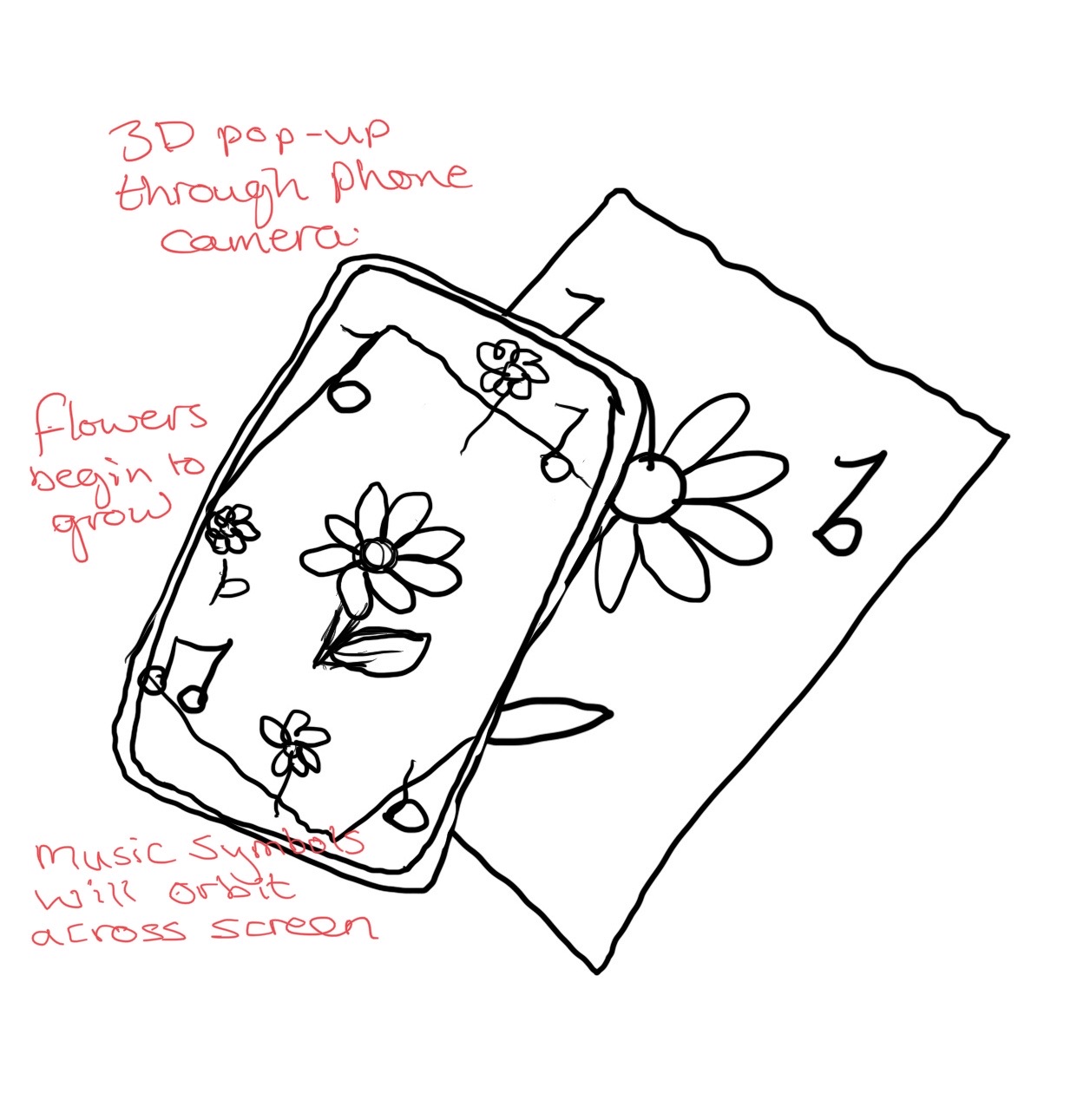
Rough sketch with annotations showing how my AR poster will work for the final production piece.
I created this rough sketch of how the final production piece will work, the AR will be triggered through the phone camera. On the 2D poster it just shows a flat flower and some music symbols but through the phone you will see a 3D flower with smaller flowers growing around the centre one, the music symbols will start to sway around the phone screen. This design doesn’t reflect what the final production piece will look like, this is just a rough example of how mine may work. The animation for my AR poster aims to last 15-20 seconds and will loop until the camera is no longer pointing at the poster, just like the Aria example video I took.
References
“Augmented Reality Posters.” Space Store, www.spacestore.co/product/augmented-reality-posters/. Accessed 26 Nov. 2023.
FG Trade. “IStock – 20 Year Old Female,” IStock, www.istockphoto.com/photos/20-year-old-female. Accessed 27 Nov. 2023.
“IStock – 20 Year Old Male.” IStock, www.istockphoto.com/photos/20-year-old-man. Accessed 27 Nov. 2023.
Le, James. How Computer Vision Recognizes Your Face, 29 Jan. 2018, data-notes.co/snapchats-filters-how-computer-vision-recognizes-your-face-9907d6904b91. Accessed 26 Nov. 2023.
—. “Snapchat’s Filters: How Computer Vision Recognizes Your Face.” Medium, 22 July 2018, data-notes.co/snapchats-filters-how-computer-vision-recognizes-your-face-9907d6904b91. Accessed 26 Nov. 2023.