Storyboarding allows one to enhance their vision of how they want a final product to look, it allows a person to further present and explain their ideas visually to their team members, this works best in the creative industry.
With the packaging design complete for Boomer’s Brew, it was easier to now think of how the animation will look. With only 10 seconds, the animation had to show the three different package design and include a conceptual transition.
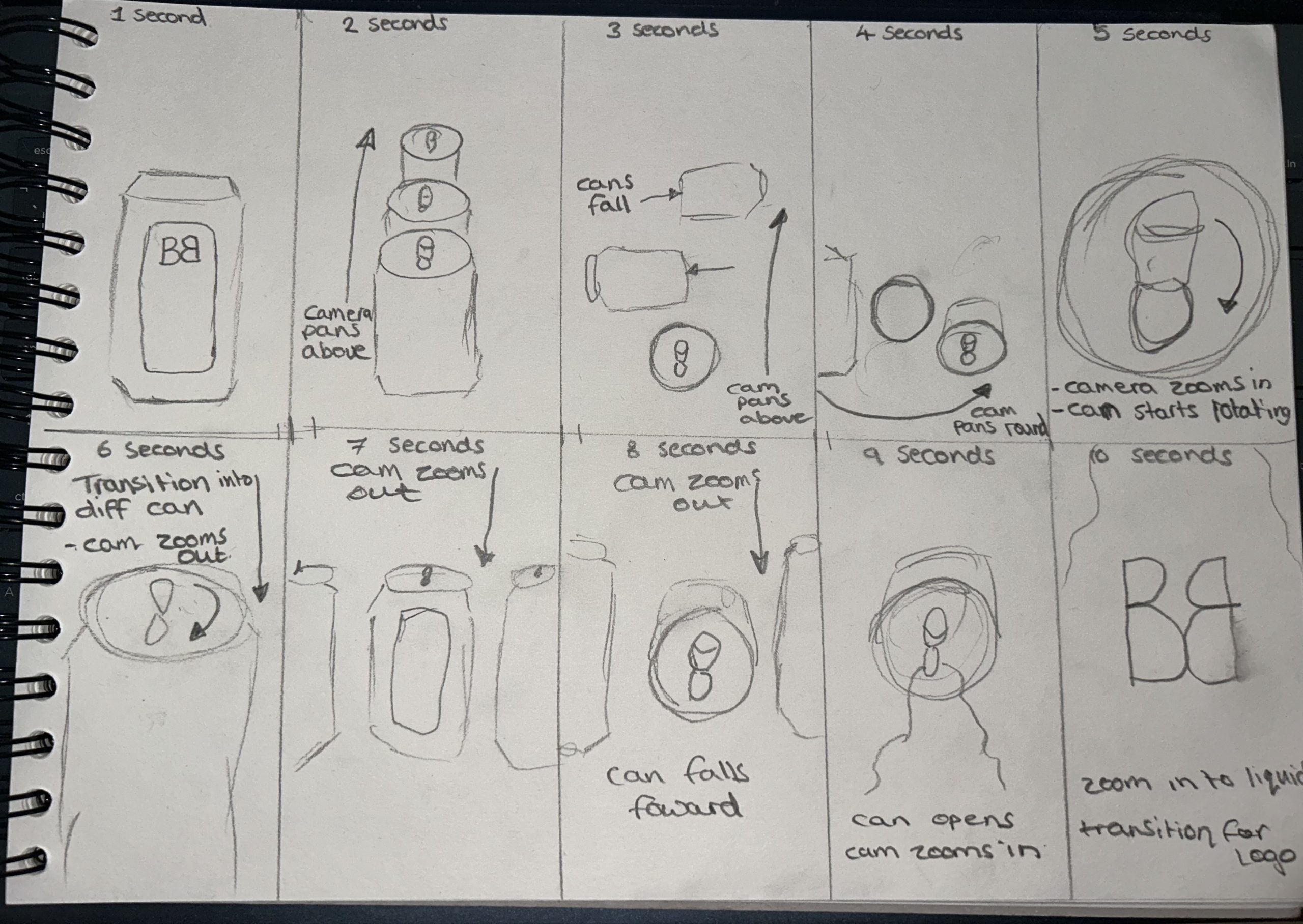
This is the first initial planning for the final animation, this rough sketch shows 10 frames for each second of the animation with added annotations. The aim is to start the animation off with a single can facing towards the camera, the camera will then pan above that can to reveal the top of the other two cans. Once the camera has reached a birds-eye view, the two cans will fall in opposite directions, thus revealing the labels and flavours to the camera. After the cans have fallen the camera will pan around to the top of the watermelon package, zooming further in as the can rotates, as the camera zooms back out the can will change to the apricot package, this will be the conceptual transition.
Using a conceptual transition within an advertisement creates more attraction towards the product, it also allows the producer to show the different variants of the product in a professional manner, in this case it is the different flavours of the energy drink.
Moving on to the seventh second of the animation, the camera will continue to zoom out, showing the three different cans stood side by side. The apricot can will fall over while opening and the beverage will start to spill. As the beverage is pouring out of the can the camera will start to zoom into the liquid, creating a background for the Boomer’s Brew logo to appear on.
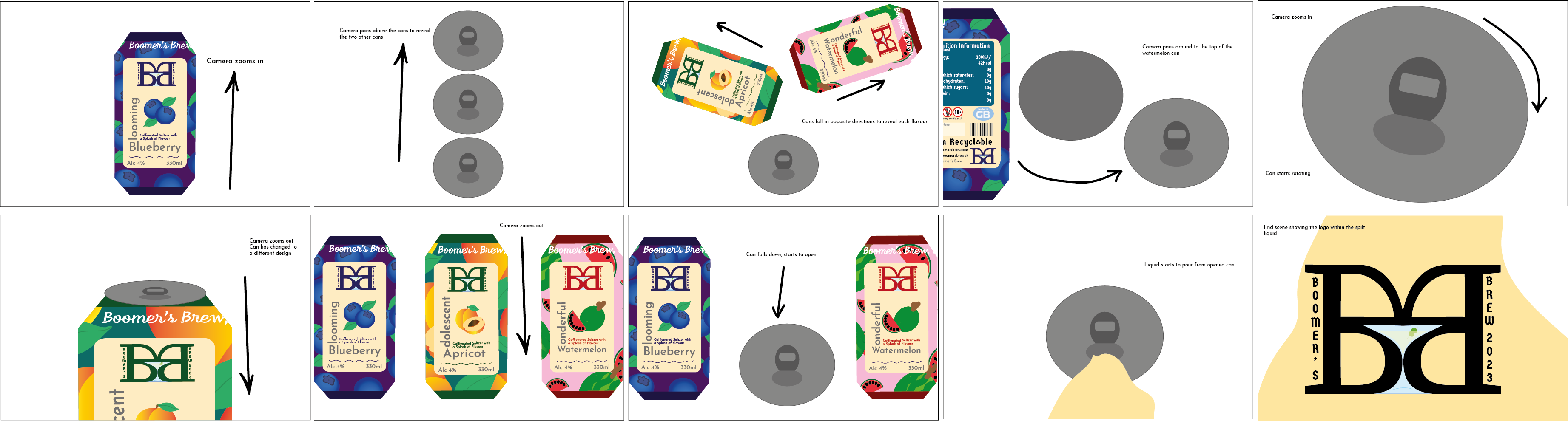
Each second of the animation had been thoroughly planned out, each second should contain 12 images and after 10 seconds the animation should use around 120 images. Each image should only play for 0.05 milliseconds to create a smooth, professional, and clean transition.